3-in-1 MagSafe Charging Station with 360° Rotation
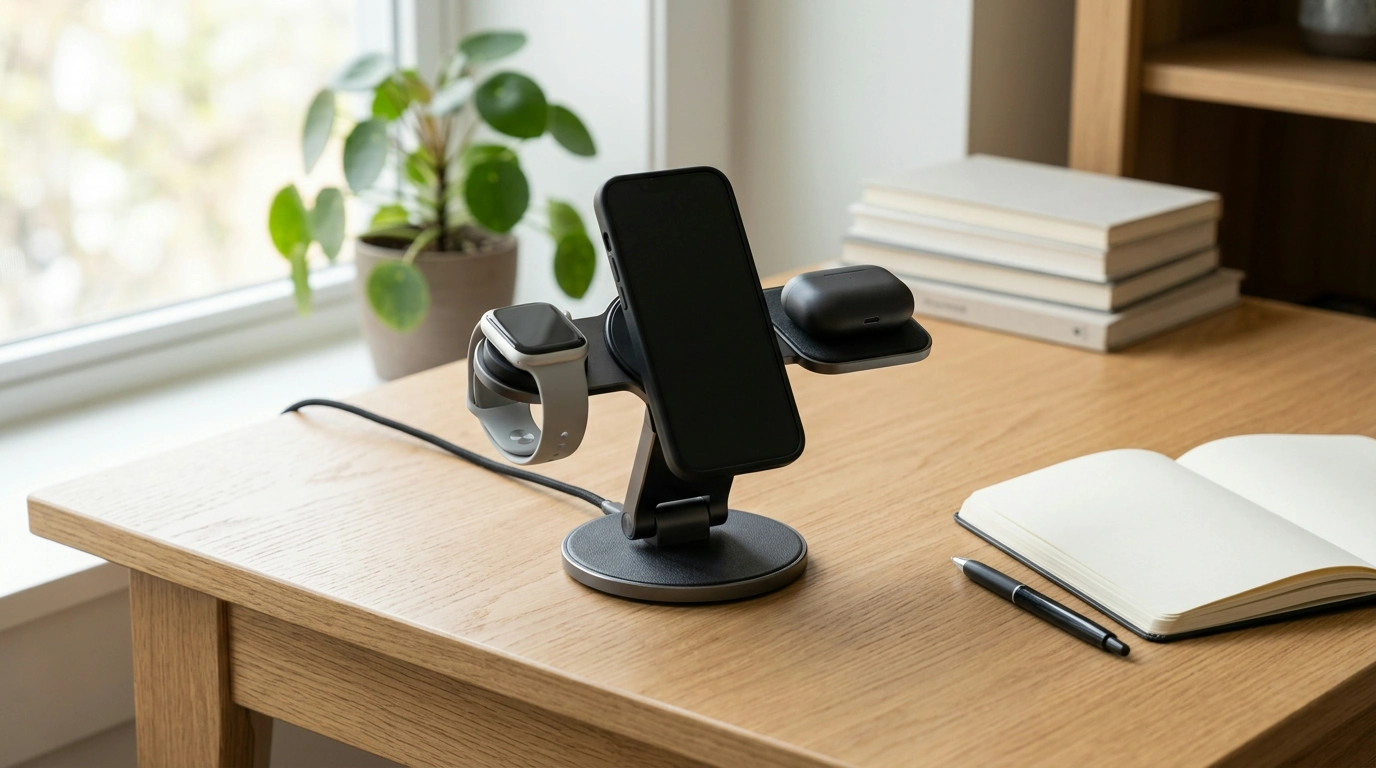
A crowded desk or nightstand can make charging feel less convenient than it should. Our 3-in-1 MagSafe Charging Station with 360° Rotation offers a space-conscious way to bring compatible devices into one charging area, with an adjustable orientation to suit your setup.
Whether you are organizing a work surface or making room beside your bed, a little planning can help you decide whether this station fits your devices and your daily routine. Here are the practical details we recommend considering before you order and as you set it up.
A Charging Station That Adapts to Your Space
A single charging station gives you a designated place for compatible devices instead of leaving them in different spots around a room. That can make a desk feel more orderly and give you one familiar place to look when it is time to head out.
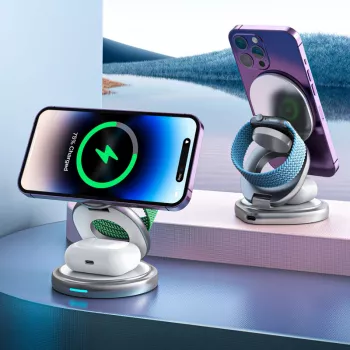
The station’s 3-in-1 design is intended to bring multiple charging needs together. Before relying on it for your whole collection, confirm that each device you want to charge is supported. Compatibility may differ between your phone and your other devices, so it is worth checking them individually.
The 360° rotation lets you adjust the station’s orientation to suit the space around it. For example, you can turn it to make placement more convenient without moving the entire charging area to another part of your desk. Leave enough clearance around the station so you can adjust it comfortably and reach your devices.
We recommend thinking about the space you have available as well as the devices you own. A tidy setup should leave room for everyday activities, whether that means writing at your desk or reaching for a book on your nightstand.
What to Consider Before You Buy
Start with the devices you plan to charge. Review the compatibility information for each one rather than assuming that a 3-in-1 station supports every combination. If you use a phone case, confirm that it supports magnetic charging and is compatible with the setup.
Power requirements matter, too. Look for the required adapter and check whether it and any other accessories you need are included. The listed price is $26.82 USD, subject to change, so review the current price and product details before placing your order.
| Consideration | What to check |
|---|---|
| Devices | Confirm compatibility for each device you plan to charge. |
| Power | Check the required adapter and whether it is included. |
| Placement | Choose a stable surface with access to a power outlet. |
| Rotation | Allow enough room to adjust the station’s orientation. |
| Phone case | Check whether the case supports magnetic charging. |
For general guidance on magnetic charging and cases, you can also consult Apple’s MagSafe Charger instructions. The Wireless Power Consortium’s guide to Qi wireless charging offers background on wireless charging technology. These resources are useful for understanding the basics, but the station’s own compatibility information should guide your purchase.
Setting Up Your Charging Area
Choose a stable, accessible spot on a desk, nightstand, or counter near a power outlet. Make sure the station can sit securely and that its power connection does not have to stretch across a walkway or an area where you regularly move items.
Follow the product instructions to connect power and position your compatible devices. Keep the charging surfaces clear, and avoid placing loose items between a device and its charging surface. Once you place each device, check that it is charging rather than assuming it has connected correctly.
Give the station enough room to rotate without bumping into nearby objects. If you keep it on a nightstand, consider leaving space for the things you reach for most often. On a desk, position it where you can retrieve a device without disturbing your keyboard, papers, or other work supplies.
If a device is not charging as expected, review its placement, the power connection, and the product instructions. A case may also affect the connection, so check its compatibility before trying again. Keeping those basics in mind can help you maintain a setup that is easy to use day after day.
A Simple Fit for Daily Routines
An organized charging spot can make it easier to find your devices at the start and end of the day. Instead of searching across several surfaces, you can build a simple habit of returning compatible devices to the same place when you are finished using them.
Our team also appreciates small routines that keep digital life manageable. If you want a companion resource for everyday communication, our Modern Etiquette Micro-Course is a printable guide covering topics such as texting, social media, and RSVPs.
Ready to review the charging setup? Visit our 3-in-1 MagSafe Charging Station with 360° Rotation listing for current pricing, availability, compatibility, and product details.
FAQ
What does 360° rotation mean for this charging station?
The station can be rotated to adjust its orientation to suit your space. Leave enough room around it to make adjustments comfortably.
Will the charging station work with my devices?
Check the product listing for compatibility with each device you plan to charge before purchasing.
Can I charge a phone while it is in a case?
Check that your case supports magnetic charging and is compatible with the station. Follow the product instructions when positioning your phone.










Leave a comment